YAM Cell
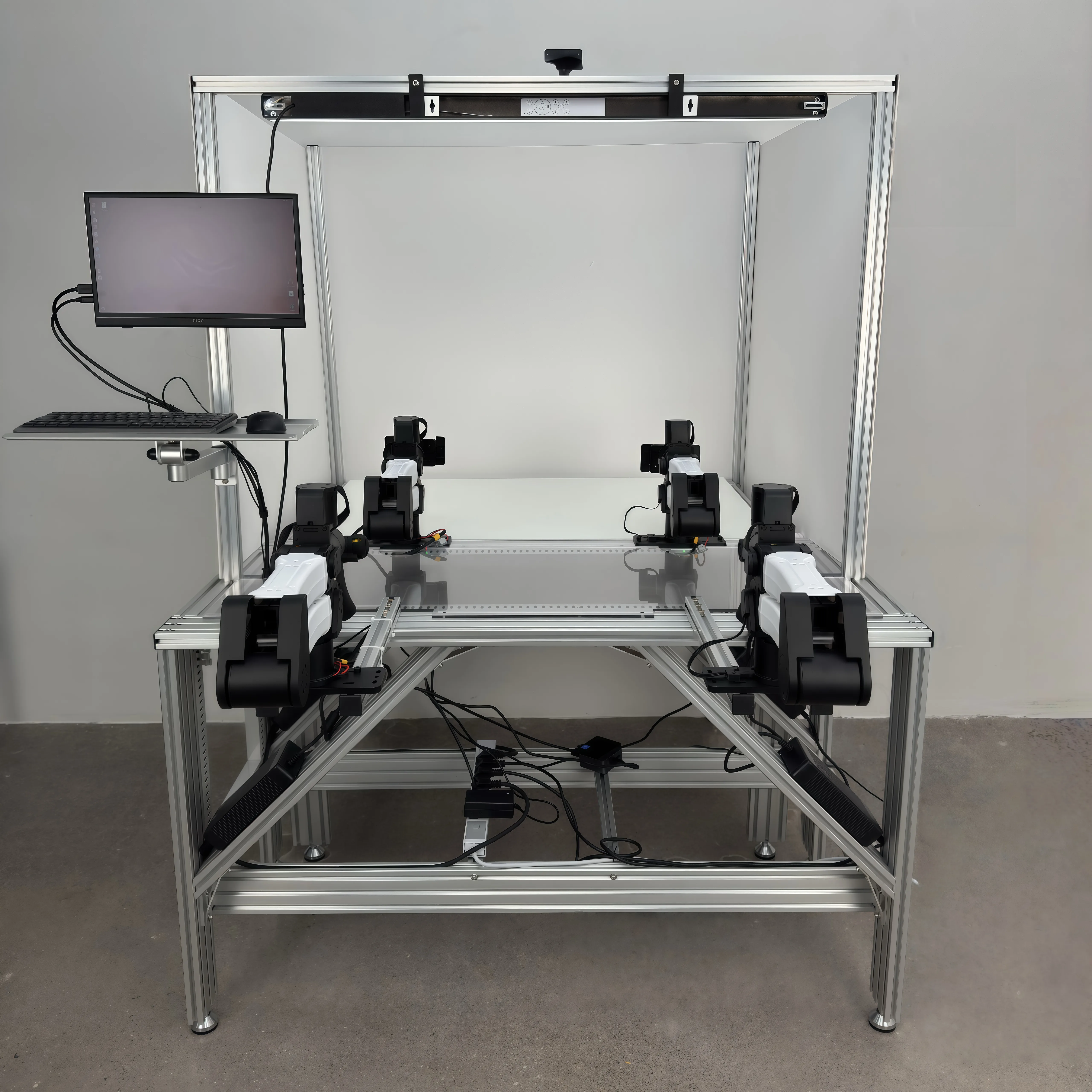
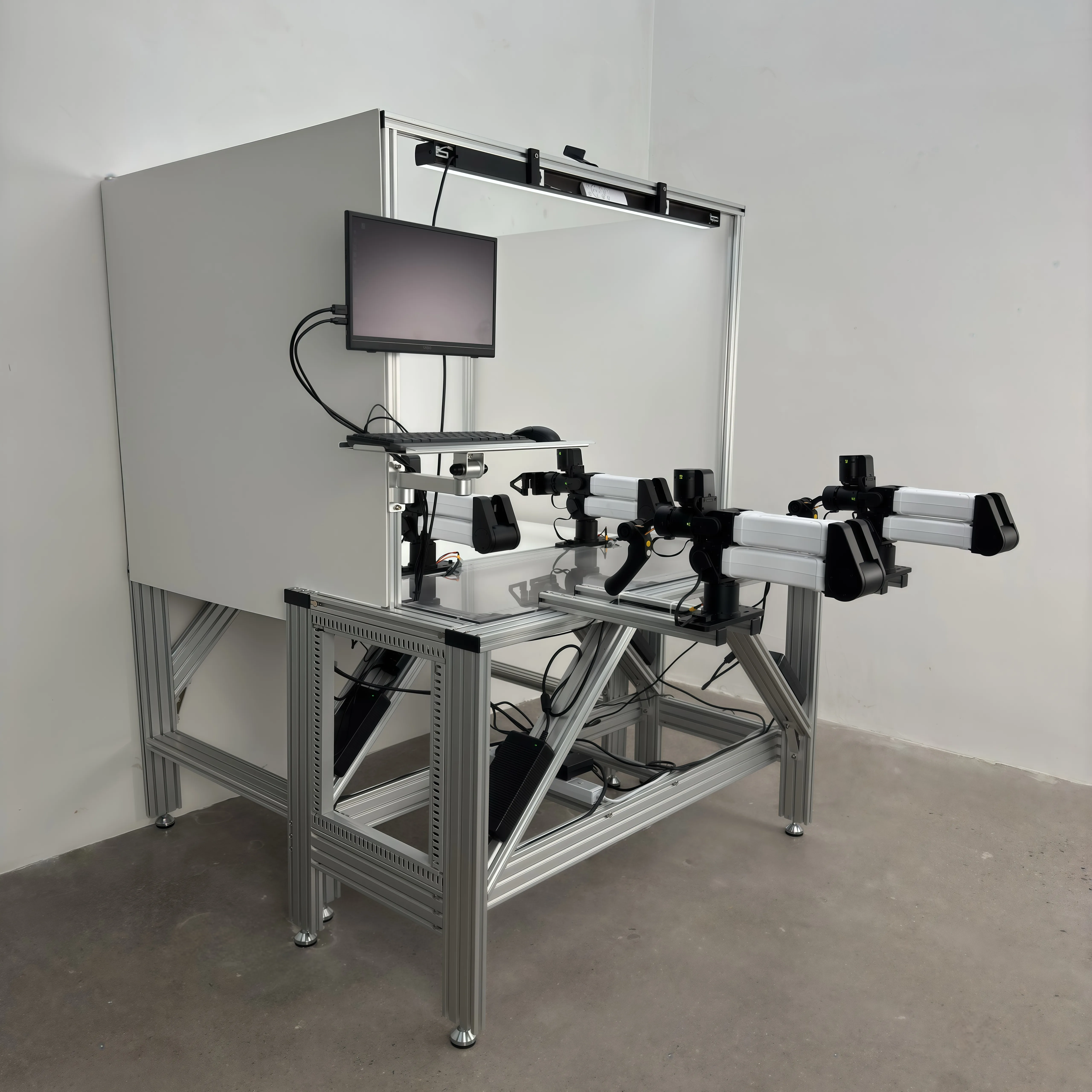
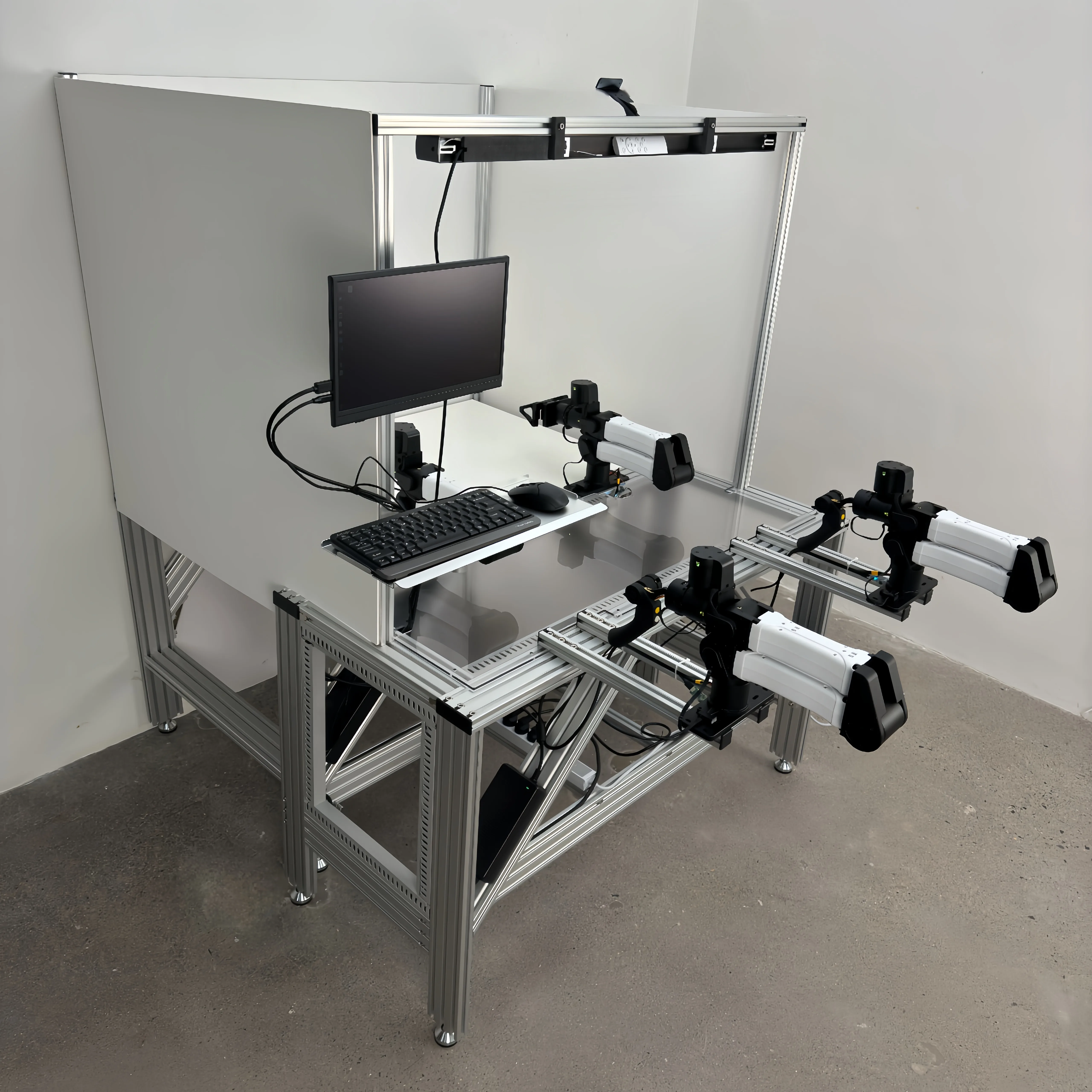
YAM Cell is a complete bimanual teleoperation workstation built around two YAM leader arms and two YAM follower arms. It is designed for collecting high-quality manipulation demonstrations for training embodied AI models.
Mobile Variant
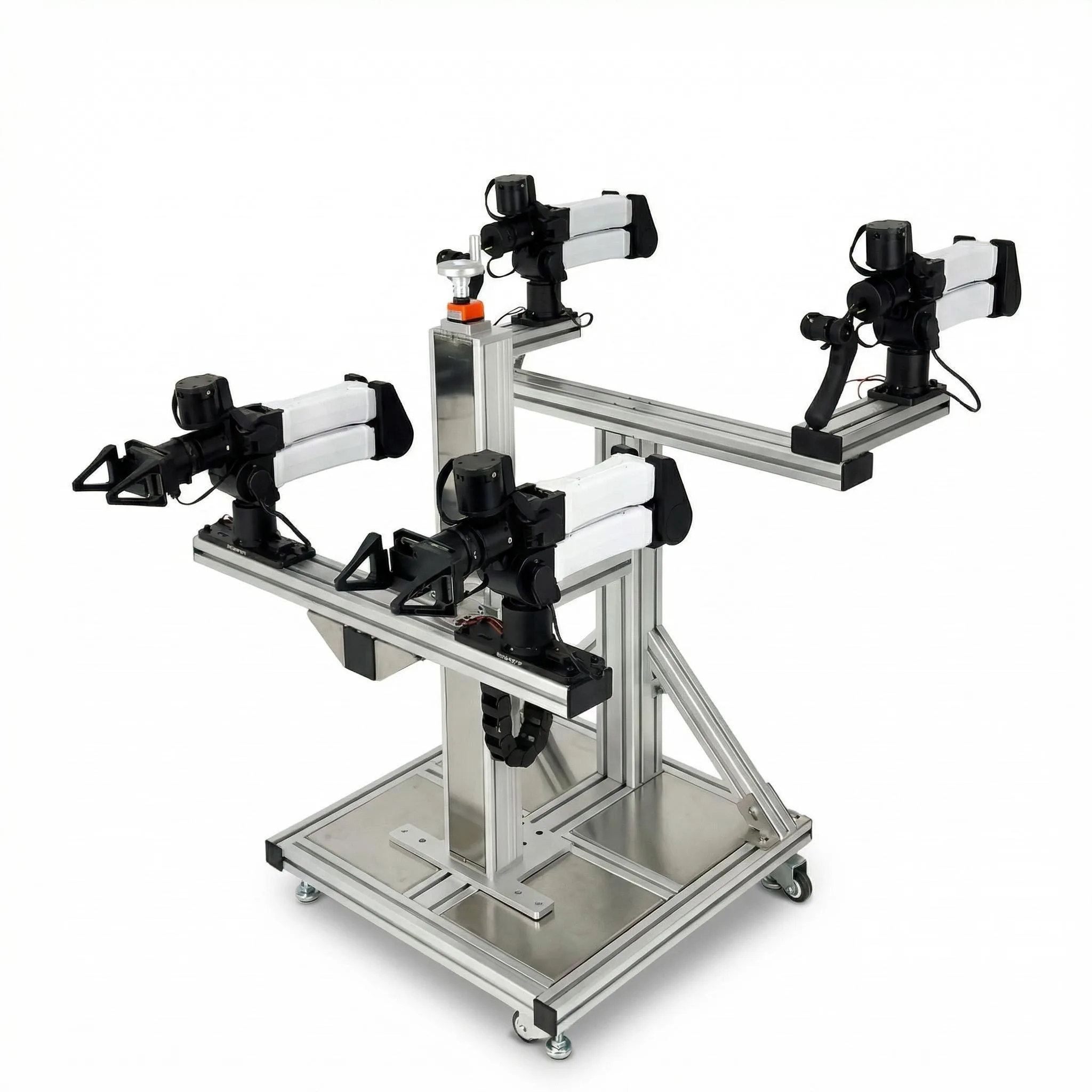
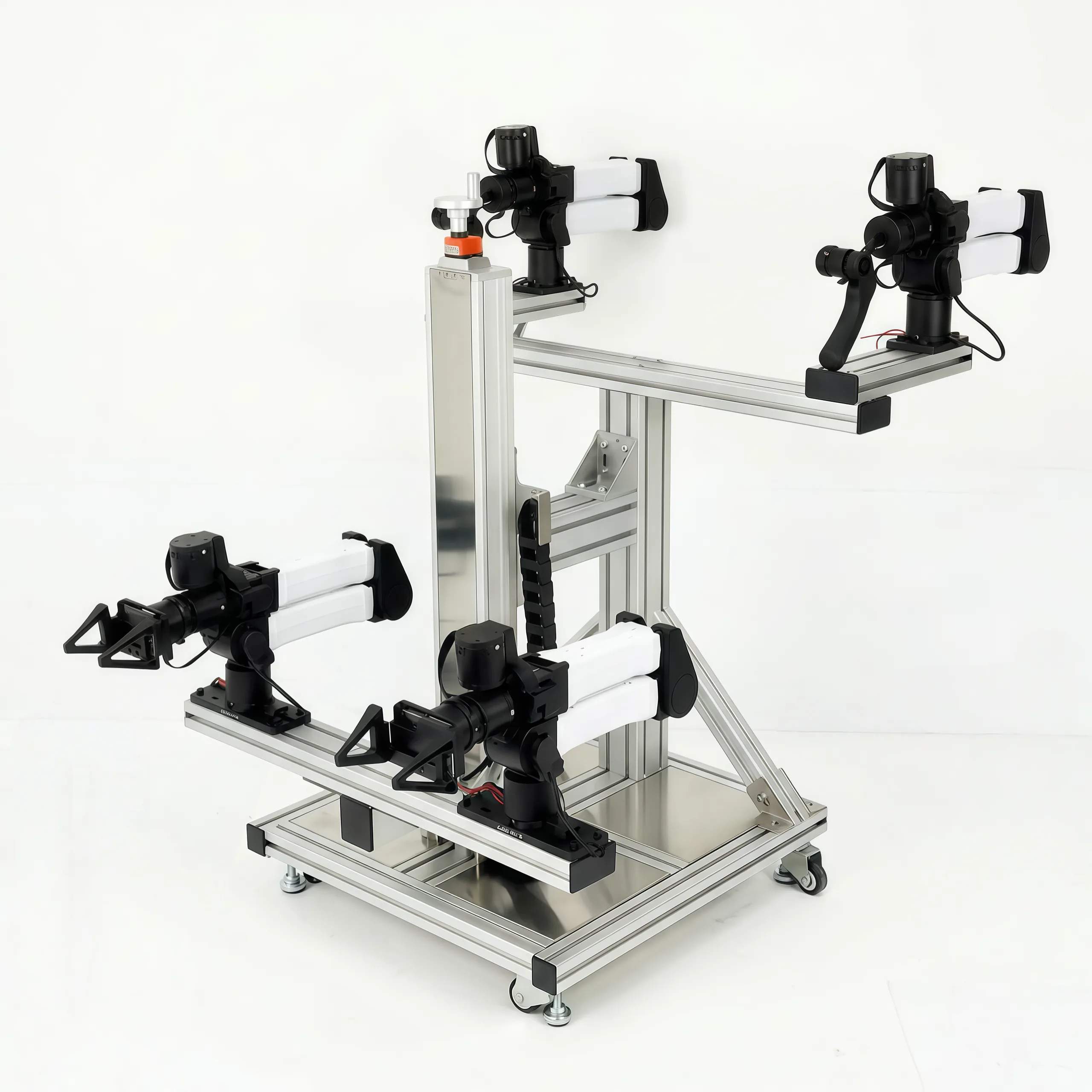
System Overview
The YAM Cell pairs leader arms (with teaching handles) and follower arms in a bilateral teleoperation loop. An operator moves the leader arms naturally; the follower arms mirror the motion in real time with configurable force feedback.
Operator ──► Leader (YAM + teaching handle)
               │  bilateral link (CAN bus)
             Follower (YAM + task gripper)  ──► Task workspace
Hardware Requirements
| Component | Qty | Notes |
|---|---|---|
| YAM Follower arms | 2 | Any YAM tier |
| YAM Leader arms | 2 | Must use yam_teaching_handle gripper |
| CANable USB-CAN adapters | 4 | One per arm |
| Workstation PC | 1 | Ubuntu 22.04 recommended |
CAN Bus Layout
Each arm requires a dedicated CAN channel. Assign persistent names using udev rules (see the SW Setup → Persistent CAN names section):
| Arm | CAN name |
|---|---|
| Left follower | can_follower_l |
| Right follower | can_follower_r |
| Left leader | can_leader_l |
| Right leader | can_leader_r |
Videos
Hardware Setup
Set up a 4-arm bimanual teleoperation cell: 2 leader arms + 2 follower arms, each on its own CAN channel.
Prerequisites
- Finish SW Setup first
- Two YAM follower arms (any gripper) + two YAM leader arms (
yam_teaching_handlegripper) - Four CANable USB-CAN adapters
1. Mount the 4 arms
- [ ] Mount both followers to the front workbench
- [ ] Mount both leaders to the operator-side workbench (within arm's reach of the operator)
- [ ] Maintain mirror symmetry — left leader ↔ left follower, right leader ↔ right follower
2. Wire CAN + power
- [ ] Connect a separate CANable adapter to each arm (4 total)
- [ ] Plug all 4 CANable adapters into the host PC's USB ports
- [ ] Power each arm independently from its 24 V supply
3. Assign persistent CAN names
Without persistent names you can't tell which can0…can3 belongs to which arm. Follow the persistent CAN names section in SW Setup to set up the layout from the CAN Bus Layout section above.
4. Verify all 4 arms
ip link show | grep can_All 4 named interfaces should be UP.
5. Quick floating test (one arm at a time)
python i2rt/robots/motor_chain_robot.py --channel can_follower_l --gripper linear_4310Repeat for each arm to confirm each CAN channel maps to the expected arm.
Quick Start Demo
Drive 2 follower arms with 2 leader arms — full bimanual leader-follower teleop with bilateral force feedback.
Launch — one terminal per arm
Terminal 1 — left follower:
python examples/minimum_gello/minimum_gello.py \
  --gripper linear_4310 --mode follower \
  --can-channel can_follower_l --bilateral-kp 0.2
Terminal 2 — right follower:
python examples/minimum_gello/minimum_gello.py \
  --gripper linear_4310 --mode follower \
  --can-channel can_follower_r --bilateral-kp 0.2
Terminal 3 — left leader:
python examples/minimum_gello/minimum_gello.py \
  --gripper yam_teaching_handle --mode leader \
  --can-channel can_leader_l --bilateral-kp 0.2
Terminal 4 — right leader:
python examples/minimum_gello/minimum_gello.py \
  --gripper yam_teaching_handle --mode leader \
  --can-channel can_leader_r --bilateral-kp 0.2
Engage
Press the top button on each teaching handle to enable leader-follower sync. The followers track the leaders in real time.
What --bilateral-kp does
| Value | Behavior |
|---|---|
0.0 | Open-loop — leader feels nothing |
0.1 | Soft force feedback |
0.2 | Recommended — leader feels follower load |
0.3+ | Stiff — risk of oscillation |
For deep teleop details (architecture, troubleshooting), see Bimanual Teleoperation below.
Bimanual Teleoperation
Location: examples/bimanual_lead_follower/
Run coordinated dual-arm teleoperation with two leader and two follower YAM arms. This is the primary example for the YAM Cell.
Setup
1. Verify all four interfaces
ip a | grep can
# Expected:
# can_follower_r  UP
# can_follower_l  UP
# can_leader_r    UP
# can_leader_l    UP
2. Activate the virtual environment
source .venv/bin/activate3. Launch
python examples/bimanual_lead_follower/bimanual_lead_follower.pyOperation
| Action | Result |
|---|---|
| Move either leader arm | Corresponding follower mirrors motion |
| Squeeze trigger on teaching handle | Follower gripper closes |
| Top button (press once) | Enable synchronization |
| Top button (press again) | Disable synchronization |
Start position
Before enabling sync, move the leader arms to roughly match the follower arm positions. Large position errors on first sync can cause abrupt motion.
Video
Architecture
The example launches two minimum_gello.py instances internally — one per arm pair — sharing the same enable/disable logic through the top button.
# Conceptually equivalent to:
python examples/minimum_gello/minimum_gello.py --gripper linear_4310 --mode follower --can-channel can_follower_l --bilateral-kp 0.2
python examples/minimum_gello/minimum_gello.py --gripper yam_teaching_handle --mode leader --can-channel can_leader_l --bilateral-kp 0.2
# (mirrored for right pair)
Troubleshooting
| Symptom | Fix |
|---|---|
| Missing CAN interface | Check ip a, replug adapters one at a time |
| Arm not following | Ensure sync is enabled (top button) |
| Jittery motion | Lower --bilateral-kp to 0.1 |
| Motor timeout errors | Reduce loop latency; check USB-CAN adapter |
Minimum Gello (Single-Pair Teleoperation)
Location: examples/minimum_gello/
The minimal leader–follower teleoperation script. Supports any YAM-family arm + gripper assembly, simulation mode, and local or remote visualization. This is the foundation that the Bimanual Teleoperation example builds on.
Modes
| Mode | What it does |
|---|---|
follower (default) | Drives the local robot from commands received over a portal server. Used as the receiving side in a leader→follower pair. |
leader | Reads a local teaching handle and sends commands to a remote follower. Requires real hardware — --sim is not supported in leader mode. |
visualizer_local | MuJoCo viewer mirrors the local robot's live state. No motion is commanded. |
visualizer_remote | MuJoCo viewer mirrors a remote robot's state via the portal server. |
Quick Start
# Follower (default) on real hardware
python examples/minimum_gello/minimum_gello.py --can-channel can0

# Follower in simulation — no hardware required
python examples/minimum_gello/minimum_gello.py --sim

# Live MuJoCo viewer for the local robot
python examples/minimum_gello/minimum_gello.py --mode visualizer_local

# Try a different arm + gripper combination in sim
python examples/minimum_gello/minimum_gello.py --arm big_yam --gripper linear_4310 --sim
python examples/minimum_gello/minimum_gello.py --arm yam_pro --gripper flexible_4310 --sim
Leader → Follower Setup
Run the follower on one terminal (or machine):
python examples/minimum_gello/minimum_gello.py \
    --gripper linear_4310 --mode follower --can-channel can0
Run the leader on another (separate CAN bus, real hardware only):
python examples/minimum_gello/minimum_gello.py \
    --gripper yam_teaching_handle --mode leader --can-channel can1 --bilateral-kp 0.2
Press button 0 on the teaching handle to sync the leader to the follower. Press again to desync.
Bilateral force feedback
--bilateral-kp (default 0.0) controls how much the follower's load is reflected back to the leader. Try 0.1–0.3 to feel object weight; values >0.3 can feel sluggish.
Arguments
| Flag | Default | Description |
|---|---|---|
--arm | yam | Arm type: yam, yam_pro, yam_ultra, big_yam, no_arm |
--gripper | yam_teaching_handle | Gripper: crank_4310, linear_3507, linear_4310, flexible_4310, yam_teaching_handle, no_gripper |
--mode | follower | Operation mode (see table above) |
--sim | off | Use SimRobot instead of real hardware (follower / visualizer only) |
--can-channel | can0 | CAN interface name |
--server-host | localhost | Portal server host (used by leader / remote visualizer) |
--server-port | 11333 | Portal server port |
--bilateral-kp | 0.0 | Bilateral force feedback gain (leader mode) |
--ee-mass | model default | Override end-effector mass (kg) for gravity comp |
Overriding Handle Weight
3-D-printed teaching handles vary in mass. The default model assumes 0.258 kg. If your handle is heavier or lighter, pass --ee-mass so gravity compensation matches the real hardware:
python examples/minimum_gello/minimum_gello.py --ee-mass 0.350 --can-channel can0Data Logging
For dataset collection, see the Record & Replay Trajectory section on the YAM product page — the same recording pipeline applies to any YAM arm used in a Cell.
See Also
- YAM Arm — full SDK & API reference
- YAM Leader Arm — teaching handle details
- YAM Cell demo